Turn Australian Building Codes into clear, visual guides
Tools™ turns Building Codes and site classifications into simple, interactive visuals so you can understand requirements and build compliant projects with confidence.
Learn how to get the most out of Tools™ with our easy-to-follow video tutorial.
Driving Quality Through Knowledge Clarity
We’re proud to have helped the construction industry achieve remarkable results. Here are a few of the stories that highlight how our Tools™ have made a real impact.
Hear from Greg Wells from Custom Built on how Tools™ helped take the complexity out of building codes.
Listen to James from Taylor Construction on how our platform made it easier to access and apply crucial information on-site.
A member of Sydney East Architects talks about how they no longer have to sit and try to interpret codes.
“Tools™ has completely changed how we approach compliance. The visual breakdowns and clear NCC references save our team hours on every project.”
- Building designer
“Instead of digging through pages of regulations, we can now find exactly what we need in seconds. It has made training junior staff much easier as well.”
- Construction manager
“The clarity of the graphics makes a huge difference. It takes complicated requirements and presents them in a way that is practical on site.”
- Site supervisor
“Tools™ has become part of our everyday workflow. It helps our team check details quickly and gives us confidence that we are meeting compliance requirements.”
- Architectural draftsperson
Interact with Tools™
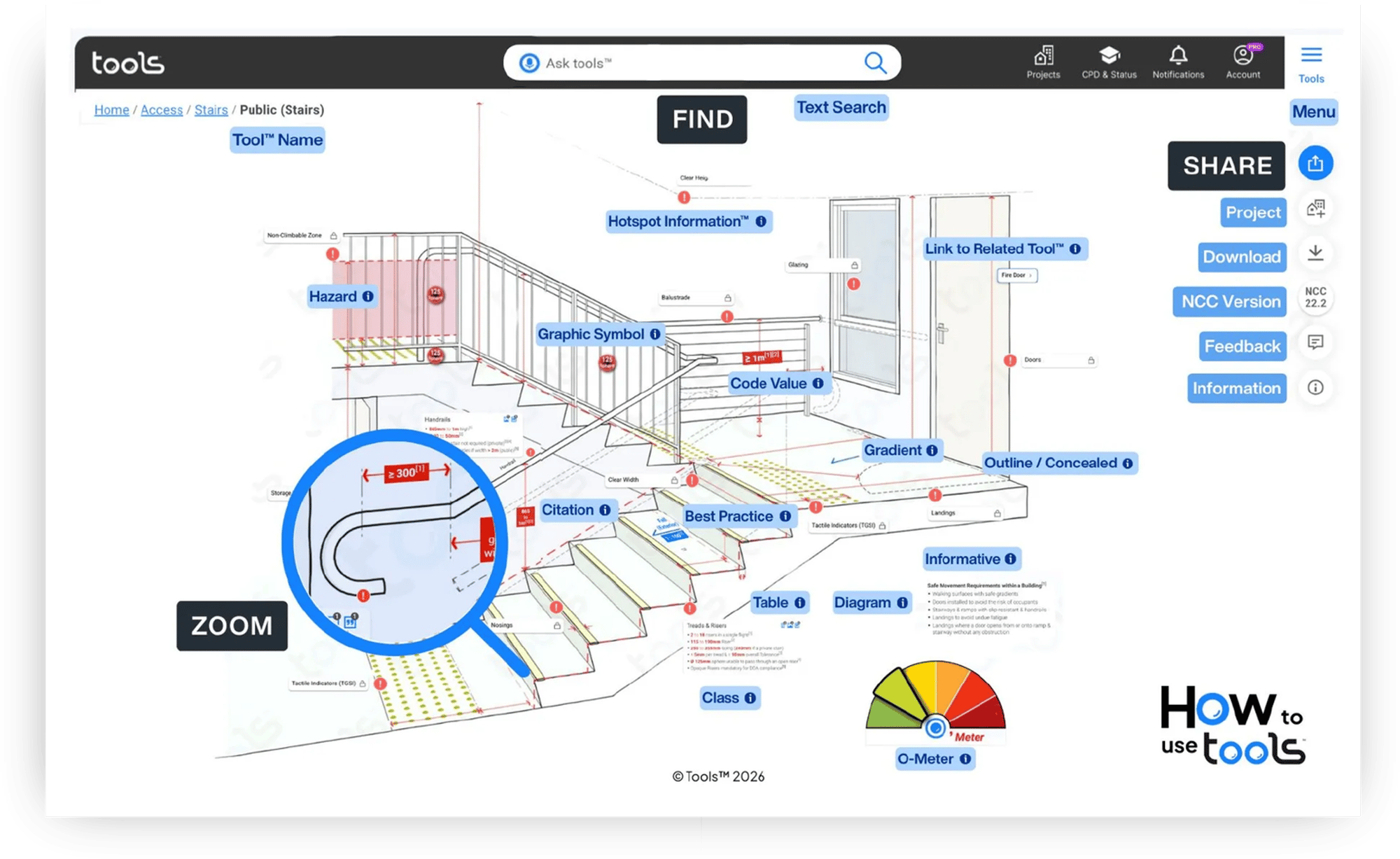
When you access Tools™, you can select the Tool™ you need, zoom in, zoom out and check out the specifications under each one. Here are the steps you need to follow:
Step 1 - Find the Tool™ you need Step 2 - Zoom discover knowledge Step 3 - Share by SMS or email.
The following images contain the various capabilities and areas of focus of Tools™.
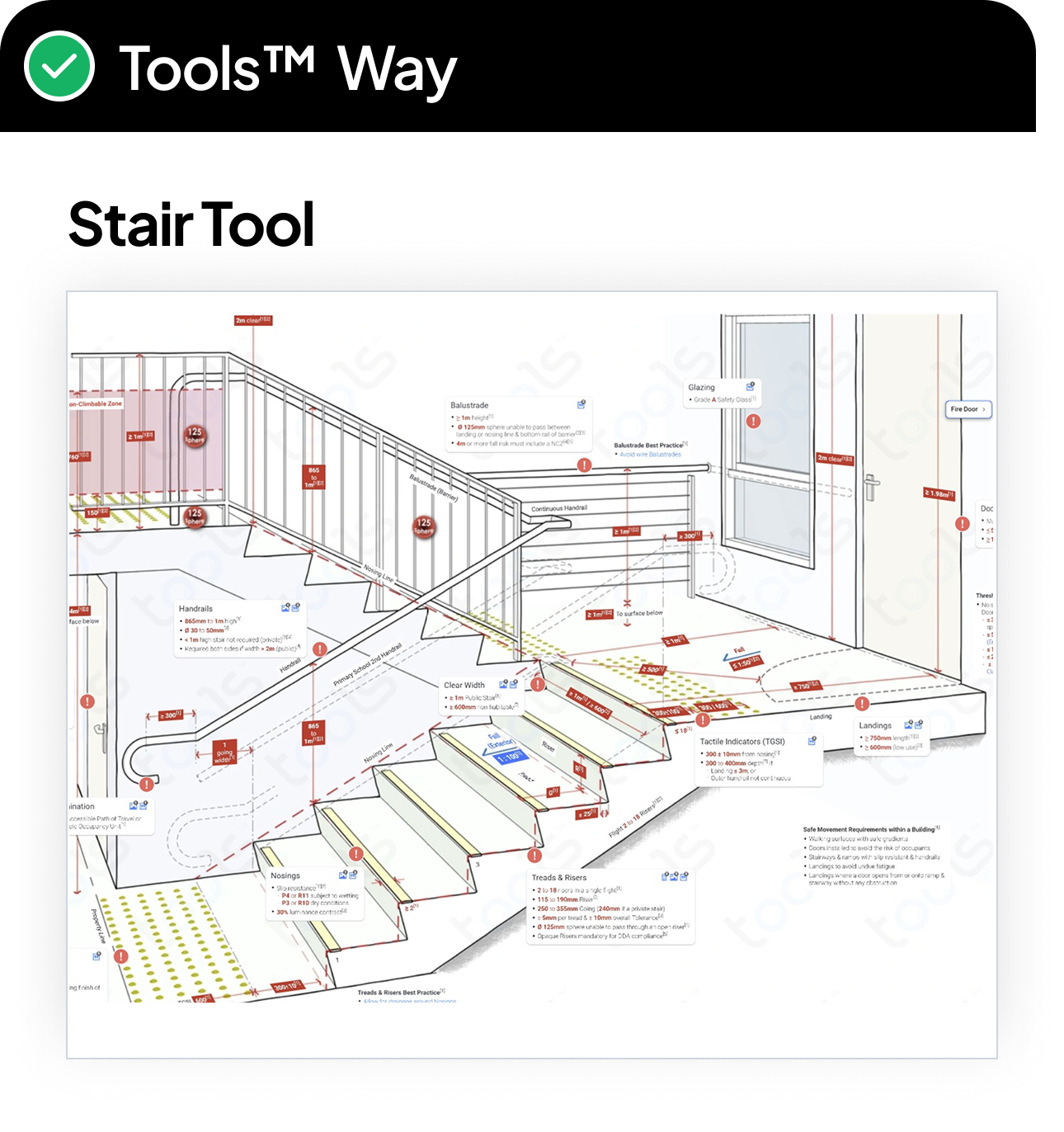
Code Compliance Red text indicates Compliance requirements. Follow it to meet the Codes & manufacturer rules. No exceptions!
Code Citations[1] All Code is cited back to the original source. Click Citations (superscripts) to display, & click Codes to copy to the clipboard.
Best Practices Blue means Best Practice. You’ve got it right with the Compliance, so take it to the next level with Best Practice.
Related Tools™ Helps you ‘integrate’ knowledge between different Tools™.
Informative Grey means Informative. We provide key, clear details to keep you informed, including important manufacturer information.
O’Meter O’Meters allow you to quickly change compliance settings to suit your needs, & the Tool, along with relevant content, will automatically update.
Zoom Use the zoom feature to focus & uncover detailed information.
Class Much of construction is not Class-specific. Where Class applies, we will clearly show it.
NCC Switcher All Tools™ default to NCC 2022.2. Use the switch between NCC versions.
Trusted by construction professionals
Tools™ works with leading organisations across the construction and building industry, including:
Building and construction consultancies
Architectural and engineering firms
Government and regulatory bodies
Training organisations and education providers
Large commercial builders and residential developers
Modernise Your Business with the Tools™ App
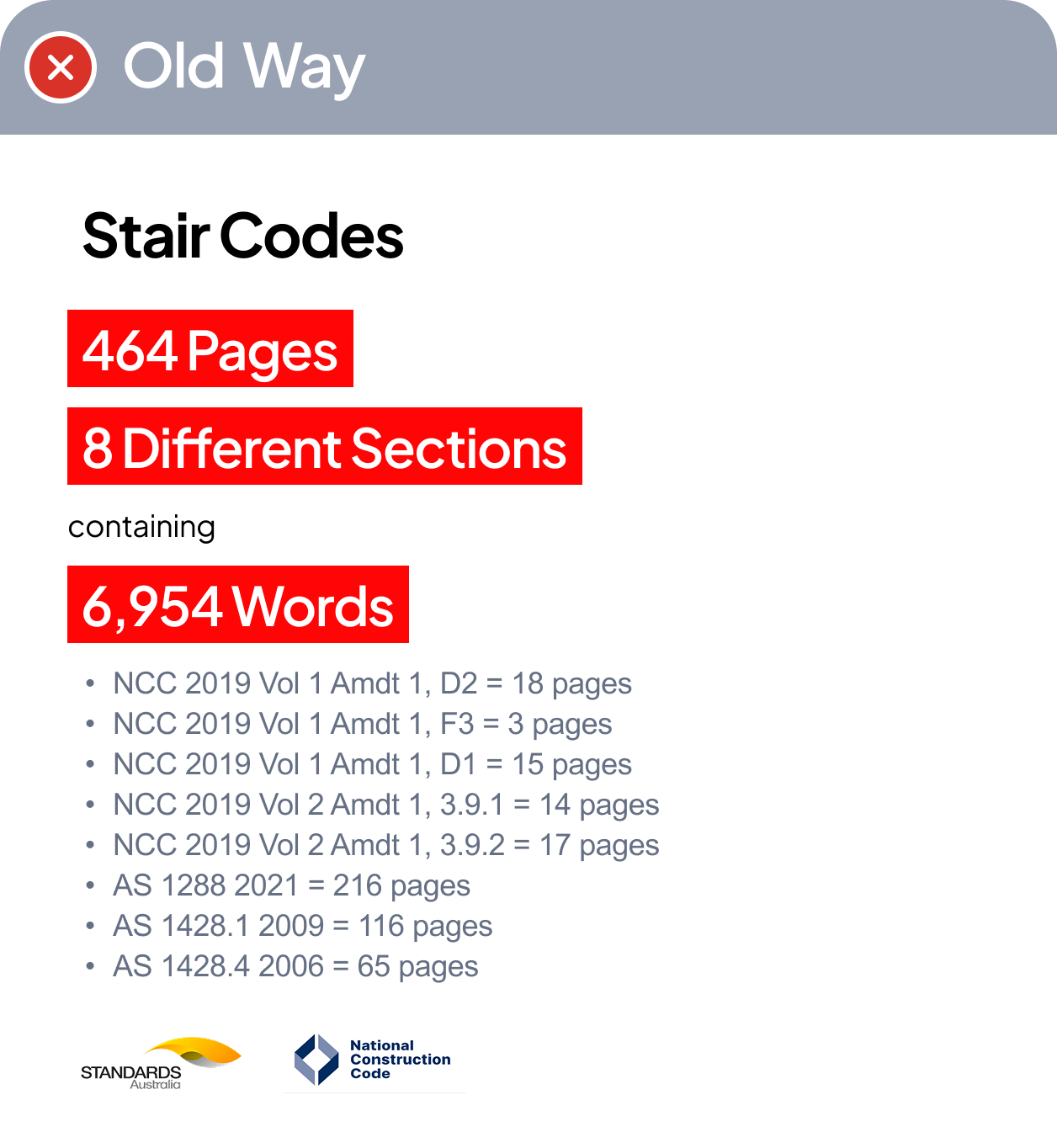
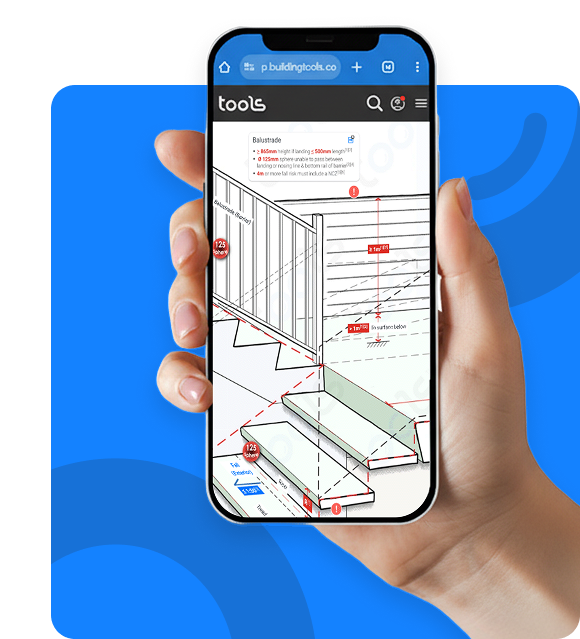
From 464 pages of codes to one simple screen.
Our Plans
Individual PRO
For individuals who need unlimited Tools™ + all features.
.png?width=161&height=74&name=Frame%20186%20(4).png "Frame 186 (4)")




.png "Rectangle 52 (6)")
.png "Rectangle 52 (3)")
.png "Rectangle 52 (5)")
.png "Rectangle 52 (2)")
.png "Rectangle 52 (1)")
.png "Rectangle 52 (7)")
.png "Rectangle 52 (4)")
.png "Rectangle 52 (8)")