---
title: "Whats New: Tools AI"
description: "Access Tools AI for construction professionals: trusted answers from NCC, standards, and official references, enhanced with familiar Tools graphics."
---
[Skip to content](https://info.buildingtools.co/knowledge-base/whats-new-ai#main-content)
English - Australia
Show submenu for translations

Open main navigation
Close main navigation
- English - Australia
Show submenu for translations
- Contact us
Contact us
How can we help you?
- There are no suggestions because the search field is empty.
1. [Tools™ Knowledge Base](https://info.buildingtools.co/knowledge-base)
2. [Whats New](https://info.buildingtools.co/knowledge-base/whats-new)
# Whats New: Tools AI
## Tools AI Trusted Construction Answers, Backed by Verified Sources
### **Welcome to the next generation of Tools™**
A faster, smarter workspace built for construction professionals.
The refreshed Tools™ platform makes it easier to **find information, understand requirements, organise projects and share guidance**. Everything you already use is still here, now with faster performance, simpler navigation and **Ask Tools™**.
**✨ New to Tools™? Sign up free and start exploring.**
**👀 Already using Free? Upgrade to Pro to unlock the full experience.**
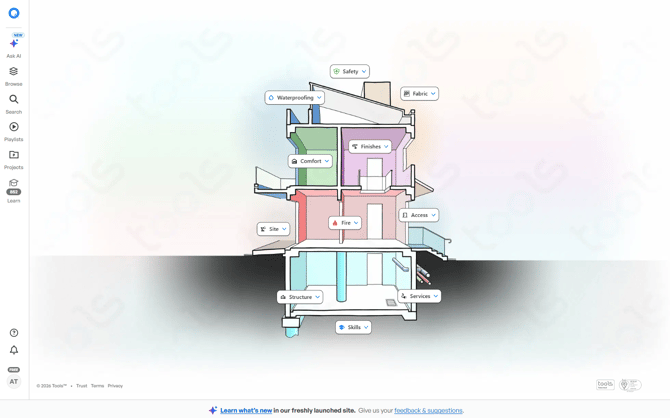
### **A fresh, modern workspace**
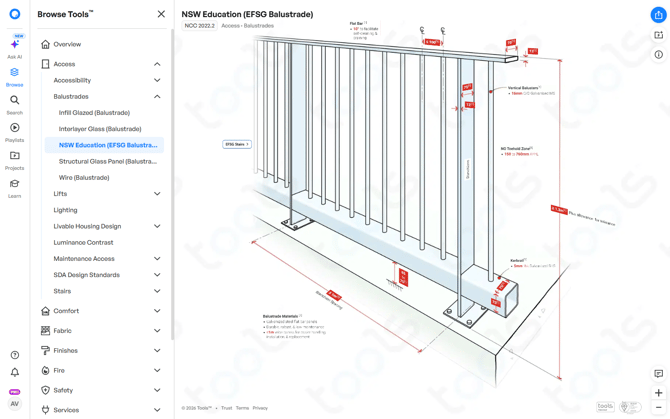
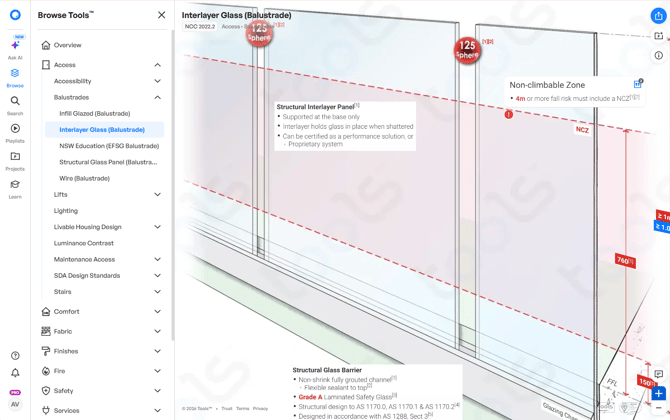
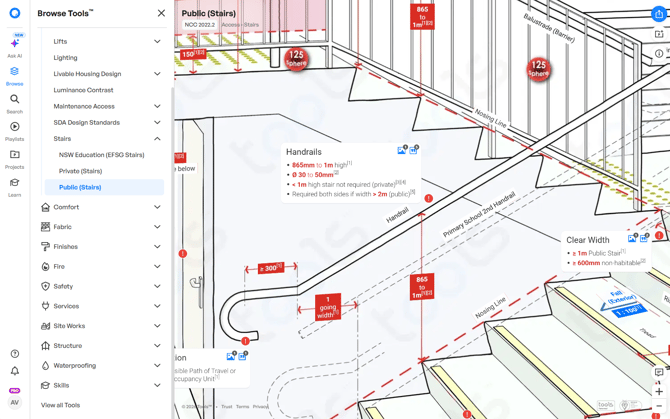
### **A cleaner, easier workspace**
Tools™ now feels more like a working environment and less like a traditional reference library.
The side menu stays open while you work, helping you move between categories, features and project information with fewer clicks.
**What this means for you:**
- Find the right information faster
- Spend less time navigating
- Keep your focus on the project
- Access tools and references in one place
✨ **Sign up for free to explore the new workspace.**
### **Faster platform performance** 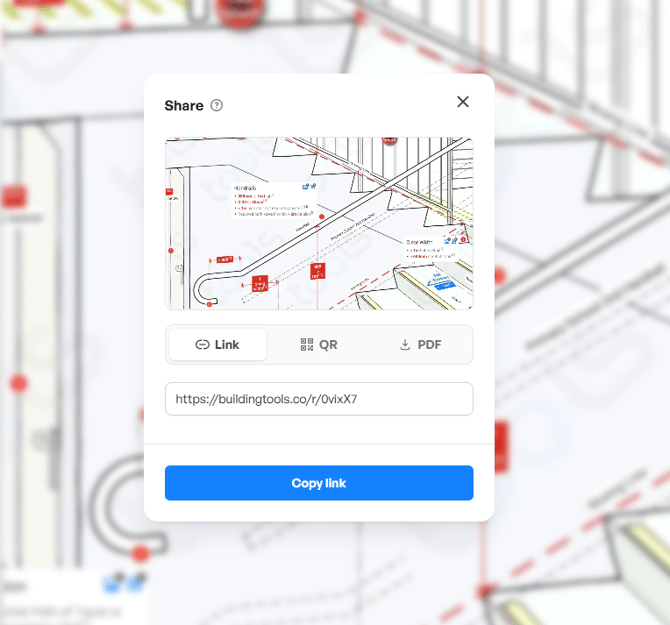 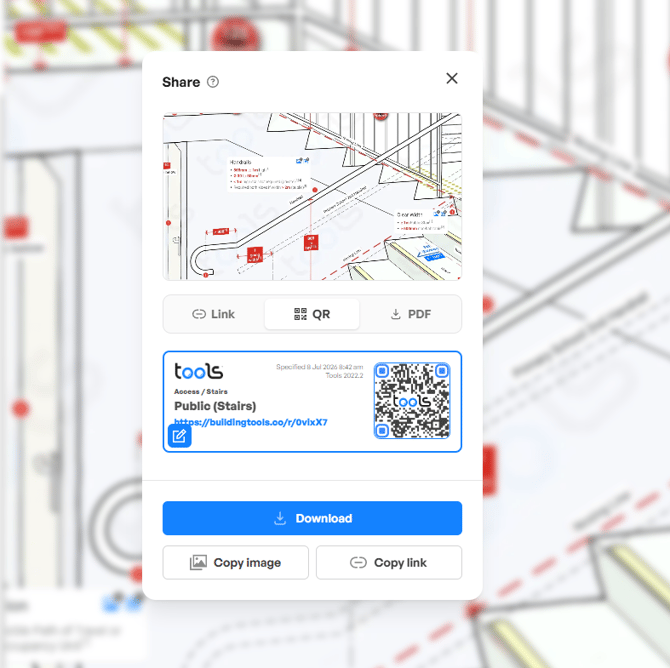 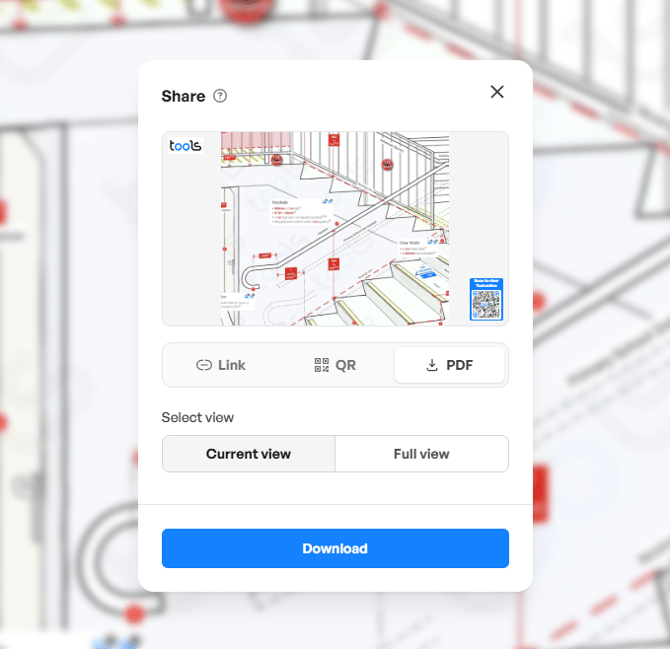 **Faster platform performance**
Tools™ now runs on an upgraded performance and graphics engine.
Pages load faster, information is easier to explore, and actions such as creating links, QR codes, and PDFs take less time.
PDFs that previously took 30 to 60 seconds can now generally be generated in under 10 seconds.
**Less waiting. More doing.**
👀 **Upgrade from Free to Pro and make every project lookup faster.**
### **Meet Ask Tools™** 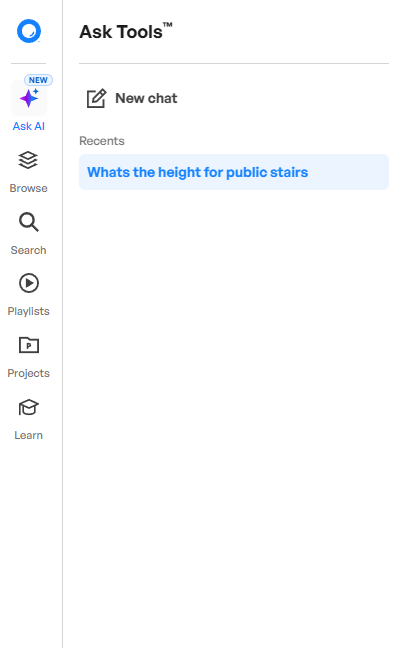 Ask Tools™ helps you find construction and compliance information by asking questions in everyday language.
Unlike general-purpose AI tools, Ask Tools™ uses recognised construction sources available within the Tools™ platform, including:
- The National Construction Code
- Referenced Australian Standards
- NASH documents
- Guides to Standards and Tolerances
- Other recognised construction and compliance references
Ask a question and receive a clear response with relevant citations and links to the applicable Tools™ references.
**The value?**
- Research requirements faster
- Reduce time spent searching documents
- Follow citations back to the original source
- Make more informed project decisions
✨ **Sign up for free to preview Ask Tools™.**
👀 **Upgrade to Pro for full access whenever you need an answer.**
**Important:** Ask Tools™ supports faster research and understanding. Always review the cited source documents and apply appropriate professional judgement before making project decisions.
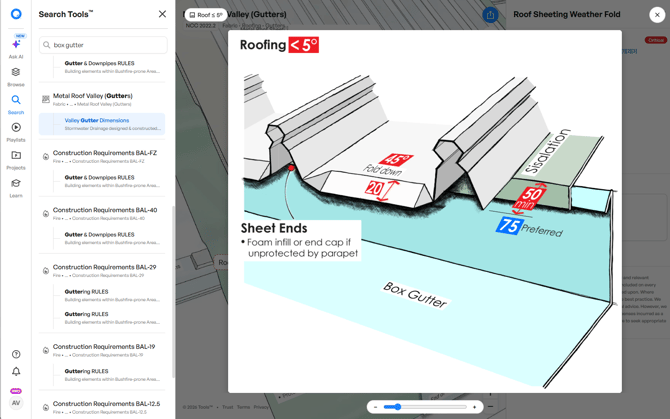
### **Search, browse or ask** 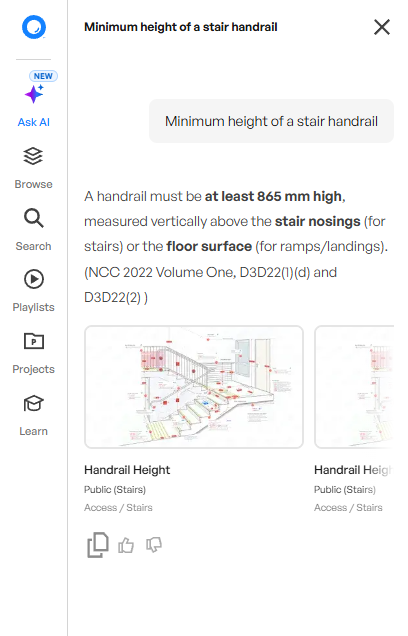 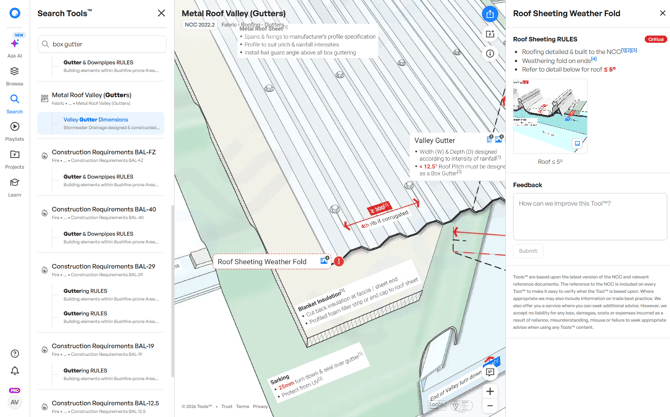
Choose the fastest way to find what you need.
### **Search**
Know the term or requirement? Use Search to quickly find the most relevant result.
### **Browse**
Explore Tools™ by category when you want to review related information or compare different requirements.
### **Ask Tools™**
Ask a construction-related question and receive an answer supported by recognised source material and citations.
**Three ways to find answers. One connected workspace.**
✨ **Start free and find information your way.**
👀 **Go Pro to unlock the full power of Ask Tools™.**
**Share information faster**
Turn important project guidance into something your team can use immediately.
From within a tool, you can:
- Create a shareable link
- Generate a QR code
- Download a PDF
- Send information to project stakeholders
Whether your team is on-site or in the office, everyone can access the same guidance more easily.
**Fewer misunderstandings. Clearer requirements. Better project communication.**
### **A more flexible Projects workspace** 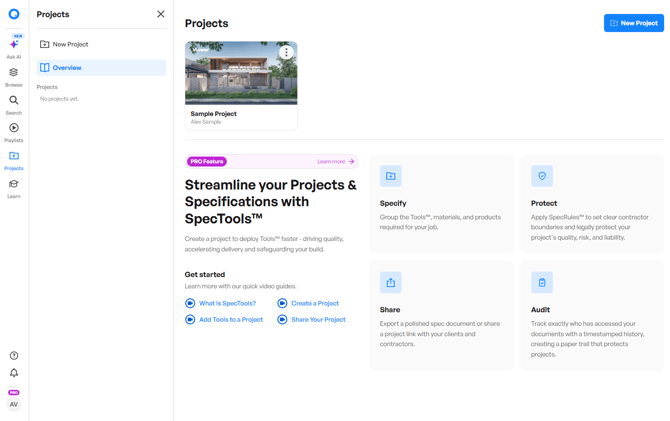 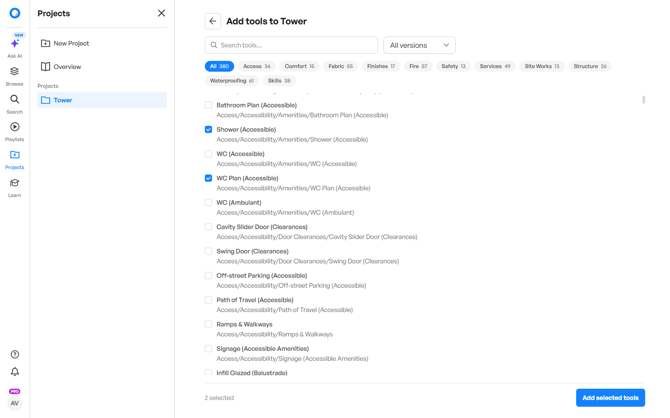 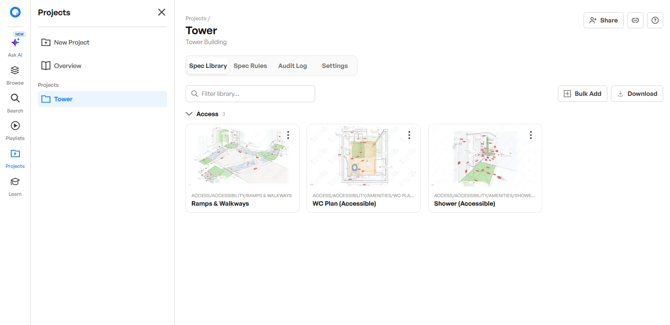 The updated Projects workspace helps you bring project-specific Tools™ and guidance together in one central location.
Create a project, select the relevant tools and share the completed collection with builders, contractors, consultants or other stakeholders.
Projects can help you:
- Organise project requirements
- Give contractors access to relevant guidance
- Communicate quality expectations
- Keep key information in one place
- Support more consistent project delivery
👀 **Upgrade to Pro to turn scattered information into an organised project resource.**
**Updated playlists**
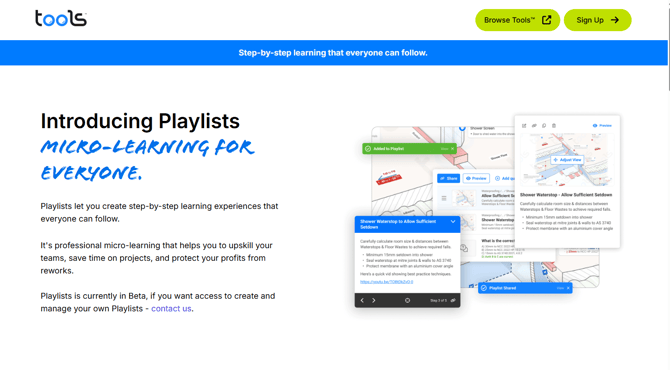
Playlists bring related Tools™ and information together in a simple, step-by-step format.
Use pre-created playlists to explore a topic without searching for each resource individually. New playlists will continue to be added.
Custom playlists are also coming soon, helping organisations organise internal knowledge, lessons learned and preferred Tools™ resources.
✨ **Sign up for free and start exploring available playlists.**
👀 **Go Pro to get more value from every learning session.**
**CPD and status improvements**
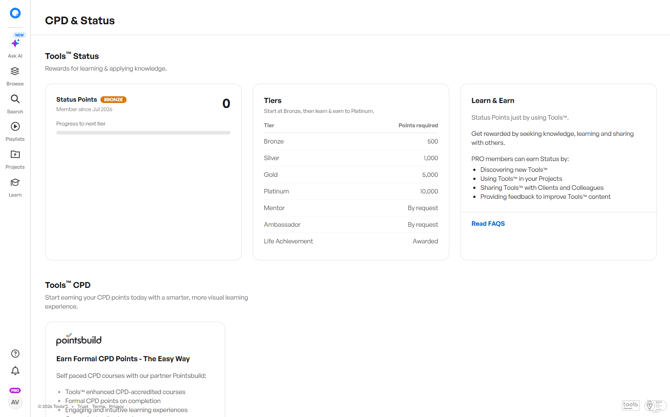
Tools™ is continuing to improve CPD tracking and status points.
Upcoming improvements will make it easier to demonstrate how you are building knowledge, engaging with Tools™ and applying what you learn to improve project quality.
**Learn more. Track progress. Show your expertise.**
### **The Tools™ you trust, now easier to use**
The construction tools, guidance and reference information you rely on remain available.
The difference is a faster, cleaner and more connected experience that helps you:
- Find answers faster
- Understand requirements
- Organise project resources
- Share information clearly
- Make better-informed decisions
✨ **Sign up for free and see what is new.**
👀 **Ready for more? Upgrade to Pro and unlock the full Tools™ experience.**
- [Whats New](https://info.buildingtools.co/knowledge-base/whats-new)
- [Function Overview](https://info.buildingtools.co/knowledge-base/function-overview)
- [Building Code Coverage](https://info.buildingtools.co/knowledge-base/building-code-coverage)
- [Code Citation](https://info.buildingtools.co/knowledge-base/code-citation)
- [Share Links, QRs, PDFs](https://info.buildingtools.co/knowledge-base/share-links-qrs-pdfs)
- [Get to know your tools](https://info.buildingtools.co/knowledge-base/get-to-know-your-tools)
- [Playlist](https://info.buildingtools.co/knowledge-base/playlist)
- [Free access](https://info.buildingtools.co/knowledge-base/free-access)
- [Inco tools](https://info.buildingtools.co/knowledge-base/inco-tools)
- [Treasure hunt](https://info.buildingtools.co/knowledge-base/treasure-hunt)
- [Submitting feedback](https://info.buildingtools.co/knowledge-base/submitting-feedback)
- [How to read tools](https://info.buildingtools.co/knowledge-base/how-to-read-tools)
- Home
- Products
- Pricing
- Blog
- Company
[](https://info.buildingtools.co/)
[mailto:email@email.com](mailto:email@email.com)
Copyright Tools™ 2025